Ball race videos, ready to post.

Two balls race through layers of ever bigger numbers, Fibonacci against factorial, primes against squares. Every race is balanced to end close at the length you pick, and BounceReel records it as a vertical MP4 for Shorts, TikTok and Reels: a new matchup every roll, nothing to edit.

Records in Chrome or Edge on a computer. Why

  • 1080×1920, 60 fps
  • MP4, ready to post
  • Free to start
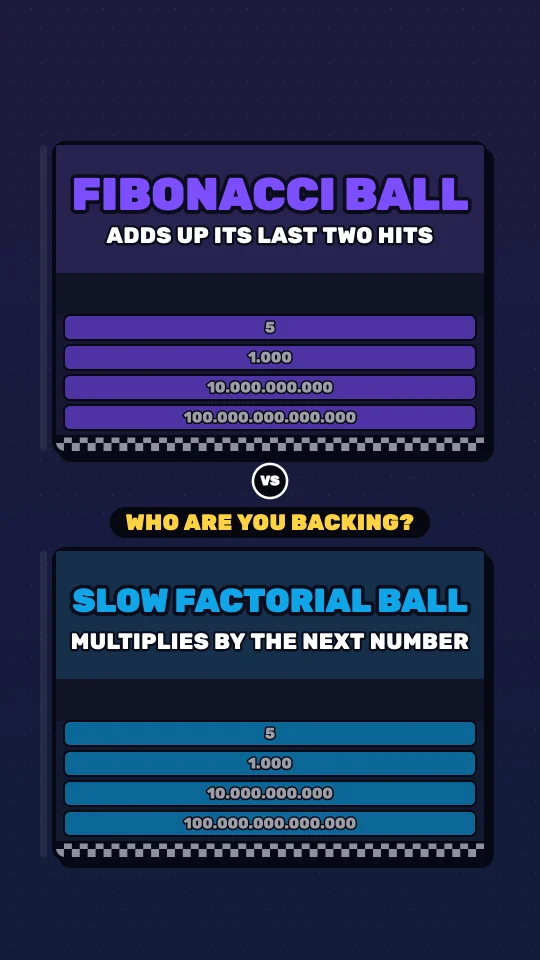
The first frame of a BounceReel video in the night look: Fibonacci Ball in the top card, Slow Factorial Ball in the bottom one, each above three layers of numbers to break.

Fibonacci Ball vs Slow Factorial Ball

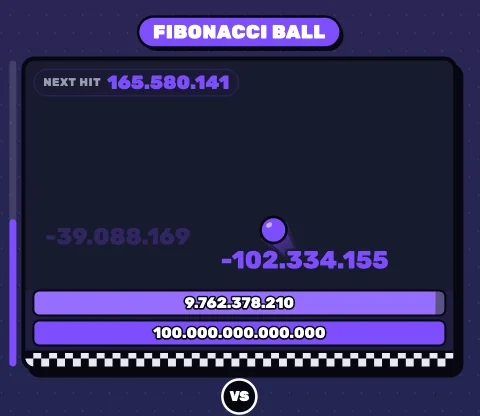
Night look, Fibonacci against Factorial

From a dice roll to a finished video

Three steps, all in your browser. The race is worked out before it plays, so what you see is what gets recorded.

  1. 1

    Roll a matchup

    The dice picks two of fifteen number sequences and balances the race at once: it ends close, and on time for your video.

    • Fibonacci Ball1, 1, 2, 3, 5, 8, 13…
    • Slow Factorial Ball1, 2, 6, 24, 120, 720…

    Slow Factorial Ball wins by 0.3 s

  2. 2

    Choose length, look, sound and narrator

    From 20 to 90 seconds in the studio, a photo finish or a gap you pick, three looks, and a narrator, the music alone or silence.

    Look
    Sound

    Notes, cracks and the fanfare; no narrator.

    The free plan makes up to 30 s in the paper look, with music or silence; the paid plans make all of this.

The race the steps set, in a phone: Fibonacci Ball in the top card, Slow Factorial Ball in the bottom one, in the night look.

Fibonacci Ball vs Slow Factorial Ball, 30 s, night look, muted

  1. 3

    Post it as it is

    Record writes an MP4 at the length you set that ends on its first frame, so the replay has no cut. Upload it to Shorts, TikTok or Reels as it is.

    The video's first frame under a platform's buttons: the names, the question and the top race clear of them.

Three recordings from the studio, one in each look, 30 seconds each, shown here smaller and muted.

Built for short video

What keeps people watching, done for every race, so you only pick and post.

Watched to the end

A race that stays close, a question for the comments, and a replay with no cut.

Close to the very end

Speeds are set so every race ends close, a photo finish or a gap of 1 to 10 s that you pick, and the video comes out at the length you set.

Race22.9 s of a 30 s video

Slow Factorial Ballwins Fibonacci Ball0.3 s behind
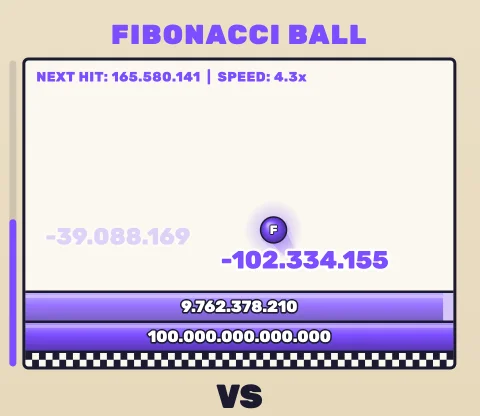
A narrator who asks for a pick

It names both balls, gives each a line and ends by asking viewers to pick a winner: the answer goes in the comments. The narrator comes with the paid plans; every plan records music only or silence.

“Fibonacci Ball versus Slow Factorial Ball! Fibonacci adds up its last two hits. Slow Factorial multiplies by the next number. By its twentieth hit, Factorial deals over two quintillion. Which one are you betting on?”

Heart

A loop with no cut

The last half second fades into the first frame, so when the app plays it again there is no cut.

A new video every day

One roll makes a new matchup, balanced and ready, with nothing to edit: posting every day takes minutes.

Three looks, one race

Paper, as the format's biggest channels draw it, and BounceReel's cards, at night or by day. Only the drawing changes: press one to see it play.

Fifteen sequences, 79 pairings

The dice pairs two number sequences that make a race, and balances it at once.

  • Fibonacci1, 1, 2, 3, 5…
  • Factorial1, 2, 6, 24, 120…
  • Doubling1, 2, 4, 8, 16…
  • Tripling1, 3, 9, 27, 81…
  • Squares1, 4, 9, 16, 25…
  • Cubes1, 8, 27, 64, 125…
  • Primes2, 3, 5, 7, 11…
  • Triangular1, 3, 6, 10, 15…
  • Tribonacci1, 1, 2, 4, 7…
  • Lucas2, 1, 3, 4, 7…
  • Golden ratio1, 2, 3, 4, 7, 11…
  • Catalan1, 1, 2, 5, 14…
  • Tenfold1, 10, 100, 1000…
  • Collatz27, 82, 41, 124…
  • Counting1, 2, 3, 4, 5…

Powers, for a twist

A ball can speed up, slow down, grow or split, and a gold tag beside its name tells viewers which. On the paid plans.

See what a power does

Every floor hit makes it faster.

Ready to post

A file the apps take as it is, laid out around their buttons, and a library that remembers how each one was made.

A library of your videos

Each recording is listed with its settings and, once you paste them, its YouTube, TikTok and Instagram links. Open one in the studio and it plays out again, frame for frame.

Clear of the buttons

The names, the top race and the VS stay clear of the apps' top bar and side buttons; only the bottom card's last layers run under the caption, as on the format's biggest channels.

1080×1920 at 60 fps

An MP4 with H.264 video and AAC sound, which Shorts, TikTok and Reels take as it is.

Plans

Start free, no card needed. The paid plans make more videos a day, longer, in every look, with the narrator and powers, and no watermark.

Questions

Anything else? Write to hello@bouncereel.com.

Which browsers does the studio run in?

Chrome or Edge on a computer: they record the MP4 (H.264 video, AAC sound) that Shorts, TikTok and Reels take as it is. Firefox records WebM, which TikTok and Instagram want converted first. Safari is not tested yet. The studio shows which format your browser writes, beside Record.

Can I make videos on my phone?

Not yet: the studio needs a computer. The videos are made for phones, though: vertical and full size, ready to post from wherever you post.

Do I have to edit the video?

No. Each recording comes out at the length you set, with the race, the winner card and the fade back to the first frame. Upload the file as it is.

How close are the races?

As close as you ask. A photo finish puts the loser 0.15 to 1.1 seconds behind the winner; or pick a gap of 1 to 10 seconds. Either way the speeds are set so the video comes out at the length you chose.

Is there a watermark?

On the free plan, a small BounceReel watermark, the mark and the site's address, sits between the two cards of every video. The paid plans have none.

Can I use my own sound?

Yes. Record with music only or silent, then add a sound in TikTok, Instagram or YouTube when you post.

What does the narrator cost?

It comes with the paid plans, at no extra cost: the narrator is Kokoro, a free voice that runs in your browser, so what it says is made on your computer. The first time, your browser downloads the voice once.

Can I hear the voices first?

Yes. The studio's Voice tab plays each voice saying your matchup, on every plan.

Can I make the same video again?

Yes. Every race comes from a seed, and your library keeps each video's settings: open one in the studio and it plays out again, frame for frame.

Where are my videos stored?

The MP4 downloads to your computer. Your library keeps each video's settings and links, not the file: the settings are enough to make the same video again.

What happens when my library is full?

A recording still downloads; it is just not added to your library until you delete one there, or move to a plan that keeps more.

How do I delete my account?

On your account page. The account, its videos and their links are deleted at once.

Your first race is a dice roll away.

Free to start, no card needed.

The paper look

Cream boxes in ink frames, glossy layers and glowing balls with trails, as the format's biggest channels draw it.